
Internet Speed for IPTV in the UK: How Many Mbps Do You Need in 2026/2027?
If you are planning to use IPTV in the UK, one of the first questions you may have is: how fast does my internet need to be for IPTV?
The answer depends mainly on the video quality you want to watch and how many devices are streaming at the same time. As a general guide, 5 Mbps can be enough for SD IPTV, around 15 Mbps is suitable for HD IPTV, and 25–50 Mbps is recommended for reliable 4K IPTV streaming.
However, internet speed is only part of the equation.
A broadband connection can have a high download speed and still experience IPTV buffering if the Wi-Fi signal is weak, the router is overloaded, the connection becomes unstable during peak hours, or several devices are using bandwidth simultaneously.
At Royal4K, we understand that buffering can be frustrating, particularly when watching live TV, sports, news, movies, or other real-time content. That’s why this guide explains the internet speed requirements for IPTV in the UK and how to get a more stable streaming experience.
How Much Internet Speed Does IPTV Need?
The amount of internet speed required for IPTV depends on the resolution and bitrate of the stream.
For a single IPTV stream, these are useful general guidelines:
| IPTV Quality | Minimum Recommended Speed | Comfortable Speed |
|---|---|---|
| SD | 3 Mbps | 5 Mbps |
| HD / 720p | 5–8 Mbps | 10–15 Mbps |
| Full HD / 1080p | 8–10 Mbps | 15–20 Mbps |
| 4K / Ultra HD | 25 Mbps | 50 Mbps |
| Multiple 4K streams | 50 Mbps+ | 100 Mbps+ |
The minimum speed is not necessarily the speed you should choose for everyday IPTV use.
If your internet connection regularly operates close to its maximum capacity, other activities such as YouTube, Netflix, gaming, video calls, cloud backups and downloads can compete with your IPTV stream.
For this reason, having some extra bandwidth is always useful.
Recommended IPTV Internet Speeds
For most UK households:
- 5 Mbps: Suitable for basic SD IPTV.
- 10 Mbps: Suitable for many HD streams on one device.
- 15–20 Mbps: A more comfortable option for HD and Full HD IPTV.
- 25–50 Mbps: Recommended for 4K IPTV.
- 50–100 Mbps: Useful for households with several simultaneous streams.
- 100 Mbps+: Provides plenty of bandwidth for multiple devices and demanding household usage.
Remember that these figures are guidelines. The actual bandwidth required can vary depending on the IPTV stream’s bitrate, compression technology and video quality.
What Internet Speed Do You Need for HD IPTV?
For HD IPTV, an internet connection of approximately 8–15 Mbps per active stream is generally a comfortable target.
If you are watching IPTV in 720p or 1080p, 15 Mbps gives you more breathing room than running directly at the minimum requirement.
For example, if your household has:
- One HD IPTV stream = approximately 10–15 Mbps
- Two HD IPTV streams = approximately 20–30 Mbps
- Three HD IPTV streams = approximately 30–45 Mbps
This doesn’t mean that you need exactly those speeds from your broadband provider. Your household’s other internet activity also needs to be considered.
Someone watching IPTV while another person is browsing the web will have different requirements from a family where several people are simultaneously streaming video and playing online games.
How Much Internet Speed Do You Need for 4K IPTV?
4K IPTV requires significantly more bandwidth than SD or HD streaming.
A practical starting point is around 25 Mbps, while 50 Mbps provides a more comfortable margin for 4K streaming.
If you want to watch 4K IPTV while other household members are using the internet, choosing a faster broadband package can help prevent your IPTV stream from competing with other activities.
For example:
One 4K IPTV stream
Approximately 25–50 Mbps is a sensible target.
One 4K stream + one HD stream
You could require approximately 40–65 Mbps depending on the individual stream bitrates.
Two 4K streams
A connection of around 50–100 Mbps gives substantially more room for both streams and other household activity.
The important point is that 4K IPTV should not be judged only by the headline broadband speed. Connection stability, latency, Wi-Fi performance and the IPTV stream itself can all influence playback quality.
How Many Mbps Do You Need for Multiple IPTV Devices?
If several televisions or streaming devices are being used simultaneously, think about bandwidth per active stream.
For example, imagine a household watching:
- TV 1: HD IPTV
- TV 2: HD IPTV
- Tablet: HD video
- Smartphone: video
- Laptop: browsing and downloads
A 15 Mbps broadband connection would have very little spare capacity.
A 50 Mbps connection gives the household considerably more flexibility.
For heavier usage, a 100 Mbps broadband package can provide additional headroom.
The important factor is not simply how many devices are connected to your Wi-Fi. It is how many devices are actively transferring data at the same time.
A phone connected to Wi-Fi but doing nothing requires very little bandwidth. A television streaming 4K video is a completely different situation.
Does Wi-Fi Affect IPTV Streaming?
Yes.
In many homes, Wi-Fi performance is a bigger issue than the broadband package itself.
You might have a 500 Mbps or 1 Gbps broadband connection, but your television could still experience buffering if the Wi-Fi signal reaching the TV is weak or unstable.
Wi-Fi performance can be affected by:
- Distance between the router and television
- Walls and floors
- Interference from neighbouring networks
- Older Wi-Fi equipment
- Too many connected devices
- Router placement
- Congested wireless channels
- 2.4 GHz versus 5 GHz connectivity
This is why upgrading your broadband speed does not always solve IPTV buffering.
Ethernet vs Wi-Fi for IPTV
If possible, connecting your main IPTV device directly to your router using an Ethernet cable can provide a more consistent connection.
A wired Ethernet connection avoids many of the wireless interference problems that can affect Wi-Fi.
For a television that is located close enough to the router, Ethernet is often a practical option.
If Ethernet is not possible, try positioning the router in a central, elevated and unobstructed location.
Should You Use 5 GHz or 2.4 GHz Wi-Fi for IPTV?
Modern routers commonly offer both 2.4 GHz and 5 GHz Wi-Fi.
The 2.4 GHz band generally travels farther and can pass through walls more effectively, while 5 GHz can provide higher performance over shorter distances with compatible devices.
If your television is relatively close to the router, 5 GHz Wi-Fi can be a good option for IPTV streaming.
If the television is far away or separated by several walls, 2.4 GHz may sometimes provide a stronger connection.
The best choice depends on your home’s layout, router and streaming device.
How Do You Test Internet Speed for IPTV?
One of the easiest ways to determine whether your broadband connection is suitable for IPTV is to perform a speed test on the actual device you use for streaming.
Don’t rely solely on the speed advertised by your broadband provider.
Instead:
- Turn on your smart TV or IPTV streaming device.
- Connect it using the same Wi-Fi or Ethernet connection you normally use.
- Run an internet speed test.
- Repeat the test during the evening.
- Compare the results with the speed requirements for your chosen resolution.
Testing at different times can also reveal whether your connection changes significantly throughout the day.
For example, if your connection performs well during the afternoon but becomes significantly slower in the evening, peak-time congestion or local network conditions could be contributing to your IPTV buffering.
Why Does IPTV Buffer Even With Fast Internet?
This is one of the most common questions IPTV users ask.
You may have a 100 Mbps, 500 Mbps or even 1 Gbps broadband package and still experience buffering.
Why?
Because internet speed and internet stability are not exactly the same thing.
Several factors can cause IPTV buffering.
1. Weak Wi-Fi Signal
Your broadband connection may be fast, but the television may receive a weak wireless signal.
Try moving the router closer to the TV or using an Ethernet connection.
2. Too Many Devices
Multiple devices can consume bandwidth simultaneously.
Someone downloading a large game, watching 4K video or uploading large files can affect available bandwidth.
3. Router Limitations
An older router may struggle to handle numerous connected devices.
A modern router with updated Wi-Fi technology can provide better performance.
4. Internet Congestion
Your connection may become slower or less stable during busy periods.
Testing the connection when IPTV buffering occurs can help identify this pattern.
5. IPTV Server Performance
Not every buffering problem originates with your home internet.
If your broadband connection is stable but only a particular IPTV channel or stream buffers, the problem could be related to the stream or server delivering that content.
6. Streaming Device Performance
Older smart TVs, TV boxes and streaming devices can sometimes struggle with high-resolution video.
Keeping your device software updated can help.
Does Internet Speed Affect IPTV Picture Quality?
Internet speed can affect whether a stream plays smoothly, but it is not the only factor determining picture quality.
If your connection cannot consistently provide enough bandwidth, the stream may buffer, reduce quality or fail to maintain continuous playback.
A faster connection gives the stream more available bandwidth, but more Mbps does not automatically make a low-quality source look like 4K.
The quality of the original stream, bitrate, encoding and resolution all matter.
Is Fibre Broadband Better for IPTV?
Fibre broadband can be an excellent option for IPTV because it can provide high download speeds and strong overall network performance.
In the UK, many households now have access to fibre-based broadband, although availability varies by location.
For IPTV, you do not necessarily need the fastest fibre package available.
For example:
- 25–50 Mbps can be sufficient for one 4K stream.
- 50–100 Mbps provides more capacity for households with several devices.
- 100 Mbps+ can be useful for heavy multi-device usage.
The right package depends on your entire household’s internet requirements, not just IPTV.
What Internet Plan Should You Choose for IPTV in the UK?
For a single person watching mostly HD IPTV, a 25–30 Mbps connection can be sufficient.
For a household with multiple devices, 50 Mbps or more gives you additional bandwidth.
If you regularly use several televisions, stream 4K content, play online games and have multiple people using the internet simultaneously, a 100 Mbps or faster broadband connection can provide more headroom.
Here is a simple guide:
| Household Usage | Suggested Broadband Speed |
|---|---|
| One person, SD IPTV | 10–20 Mbps |
| One person, HD IPTV | 25 Mbps |
| One person, 4K IPTV | 50 Mbps |
| Family, HD IPTV + normal browsing | 50 Mbps |
| Family, multiple HD streams | 50–100 Mbps |
| Multiple 4K streams + heavy usage | 100 Mbps+ |
These are practical recommendations rather than strict technical requirements.
Does IPTV Use More Data Than Netflix or Other Streaming Services?
IPTV does not automatically consume more data simply because it is IPTV.
The amount of data used primarily depends on factors such as:
- Video resolution
- Video bitrate
- Compression
- Frame rate
- Streaming duration
A high-bitrate 4K stream can use substantially more data than a lower-bitrate HD stream.
Similarly, an IPTV stream with a lower bitrate can use less data than another streaming service showing video at the same resolution.
If your broadband package has a monthly data allowance, check the provider’s terms before using IPTV or other high-volume streaming services for extended periods.
Does IPTV Work With 10 Mbps Internet?
Yes, 10 Mbps can be enough for IPTV, depending on the resolution.
A 10 Mbps connection may work well for SD and some HD IPTV streams.
However, it does not leave much spare bandwidth for other devices.
For example, if one TV is streaming HD IPTV while another device is downloading a large file, the available bandwidth can quickly become limited.
For 4K IPTV, 10 Mbps is generally below the recommended range.
Can IPTV Work With 25 Mbps Internet?
Yes.
25 Mbps can be suitable for one IPTV stream, including many HD streams and some 4K content depending on the stream bitrate and network conditions.
However, if multiple devices are using the connection at the same time, 25 Mbps can become restrictive.
For a household that regularly watches 4K IPTV, having 50 Mbps or more provides a more comfortable margin.
Can IPTV Work With 50 Mbps Internet?
Yes.
50 Mbps is a practical broadband speed for many IPTV households.
It can provide sufficient bandwidth for a 4K stream while leaving some capacity for normal internet usage.
However, if several people are simultaneously streaming, gaming, downloading or video calling, the available bandwidth can still become divided between devices.
Can IPTV Work With 100 Mbps Internet?
Absolutely.
A 100 Mbps connection provides considerable bandwidth for IPTV and general household internet use.
For many households, 100 Mbps is enough to comfortably support:
- HD IPTV
- 4K IPTV
- Multiple streaming devices
- Online gaming
- Video calls
- Browsing
- Downloads
- Smart home devices
Again, the actual experience depends on network stability and the performance of the devices and services involved.
How to Reduce IPTV Buffering
If your IPTV keeps buffering, try these steps before immediately upgrading your broadband plan:
1. Test Your Internet Connection
Check your real download speed directly from your streaming device.
2. Try Ethernet
Connect your TV or streaming box directly to your router if possible.
3. Restart Your Router
A router restart can sometimes resolve temporary connection problems.
4. Reduce Network Usage
Pause large downloads, cloud backups and other high-bandwidth activities while watching IPTV.
5. Move Your Router
Place the router somewhere central, elevated and away from large obstructions.
6. Try 5 GHz Wi-Fi
If your device is relatively close to the router, 5 GHz may provide better performance.
7. Update Your Streaming Device
Make sure your smart TV, streaming box and relevant software are up to date.
8. Check Whether the Problem Affects One Stream
If only one channel or stream experiences buffering while everything else works normally, the issue may not be your broadband connection.
What Causes IPTV Buffering at Night?
If IPTV works perfectly during the day but buffers in the evening, the timing itself can provide an important clue.
The evening is normally when internet usage increases. Households may simultaneously be:
- Streaming movies
- Watching live TV
- Playing online games
- Making video calls
- Downloading games
- Using social media
- Backing up files
- Connecting smart devices
If your connection becomes unstable specifically during these periods, run another speed test while the problem is happening.
This can help determine whether the issue is related to your home network or your broadband connection.
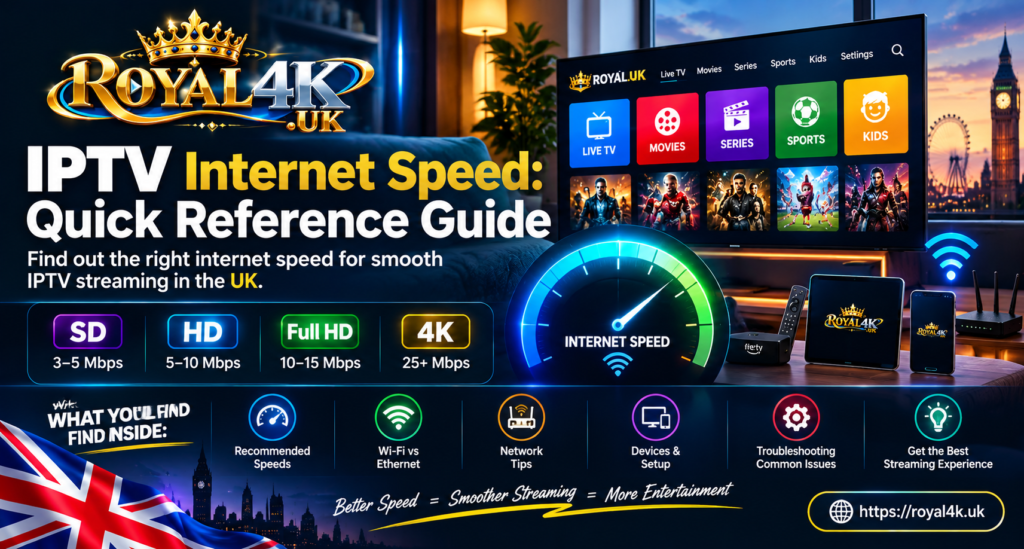
IPTV Internet Speed: Quick Reference Guide
For a simple answer, use this table:
SD IPTV: 3–5 Mbps
HD IPTV: 8–15 Mbps
Full HD IPTV: 10–20 Mbps
4K IPTV: 25–50 Mbps
Multiple 4K streams: 50–100+ Mbps
For most households, choosing a broadband package with some additional capacity is preferable to operating continuously at the minimum requirement.
Try Royal4K
If you’re looking for an IPTV service for your compatible device, you can learn more about Royal4K and try the service through the free trial below.
Internet Speed for IPTV UK – Frequently Asked Questions
What is the minimum internet speed for IPTV in the UK?
For SD IPTV, around 3–5 Mbps can be sufficient. For HD IPTV, approximately 8–15 Mbps is a practical range. For 4K IPTV, 25 Mbps is a useful starting point, while 50 Mbps provides more headroom.
How many Mbps do I need for 4K IPTV?
A 4K IPTV stream can require around 25 Mbps or more depending on the bitrate. For a more comfortable setup, around 50 Mbps is recommended, especially when other devices are using the connection.
Is 10 Mbps enough for IPTV?
10 Mbps can be sufficient for SD and some HD IPTV streams. However, it provides limited capacity for multiple devices and is not generally suitable for reliable 4K IPTV.
Is 25 Mbps enough for IPTV?
25 Mbps can be suitable for one HD stream and may support some 4K streams depending on bitrate and network stability. Multiple simultaneous streams require additional bandwidth.
Is 50 Mbps enough for 4K IPTV?
50 Mbps is a practical target for one 4K IPTV stream and provides additional room for other household internet activity.
Is 100 Mbps good for IPTV?
100 Mbps provides plenty of bandwidth for many IPTV households, including multiple HD streams and 4K streaming, provided the connection and home network are stable.
Does Wi-Fi affect IPTV?
Yes. Wi-Fi interference, distance, walls, router limitations and network congestion can all affect IPTV playback. Ethernet is often the most consistent option for a television or streaming box.
Why does IPTV buffer when my speed test is fast?
A speed test measures your connection at a particular moment. IPTV requires a consistent connection over time. Short interruptions, Wi-Fi congestion, packet loss, router problems or stream-side issues can cause buffering even when a speed test reports a high download speed.
Is fibre broadband necessary for IPTV?
No. IPTV does not require fibre specifically. A stable broadband connection with sufficient bandwidth can support IPTV. Fibre can provide higher speeds and strong performance, but the appropriate broadband technology depends on availability and household requirements.
Does 4K IPTV use more internet data?
Generally, yes. Higher-resolution video usually requires more data, particularly when combined with a higher bitrate. The exact amount varies depending on the stream’s encoding and bitrate.
Can several TVs use IPTV at the same time?
Yes, provided your IPTV service and subscription support multiple simultaneous connections and your home internet has enough available bandwidth.
For multiple TVs, calculate the approximate bandwidth required by each active stream and allow additional capacity for normal household internet use.
What is the best internet speed for IPTV?
There is no single speed that is best for every household. Around 25 Mbps can be sufficient for lighter HD usage, while 50 Mbps is a practical target for many households using 4K IPTV. Families with multiple simultaneous streams may benefit from 100 Mbps or more.
The internet speed you need for IPTV in the UK depends on resolution, number of simultaneous streams and overall household internet usage.
As a simple reference:
- SD: around 5 Mbps
- HD: around 15 Mbps
- Full HD: around 15–20 Mbps
- 4K: around 25–50 Mbps
- Multiple 4K streams: 50–100+ Mbps
But remember that speed is only one part of IPTV performance.
A stable Wi-Fi connection, a capable router, a reliable streaming device and a consistent IPTV stream can be just as important as your advertised broadband speed.
If you’re experiencing buffering despite having a fast connection, test the connection directly on your IPTV device, preferably during the time when buffering occurs. This can help identify whether the problem is your broadband connection, home network, streaming device or the individual stream.
For users interested in trying Royal4K, you can access the free trial here: